Precision, from the first point
Lines, circles, polylines and arcs. Use familiar commands, object snaps and coordinate input to draw with intention.
OPEN SOURCE. OPEN IN YOUR BROWSER.
CADCraft free. A familiar 2D drafting workspace, right in your browser. From the first line to your next floor plan — just open it and draw.
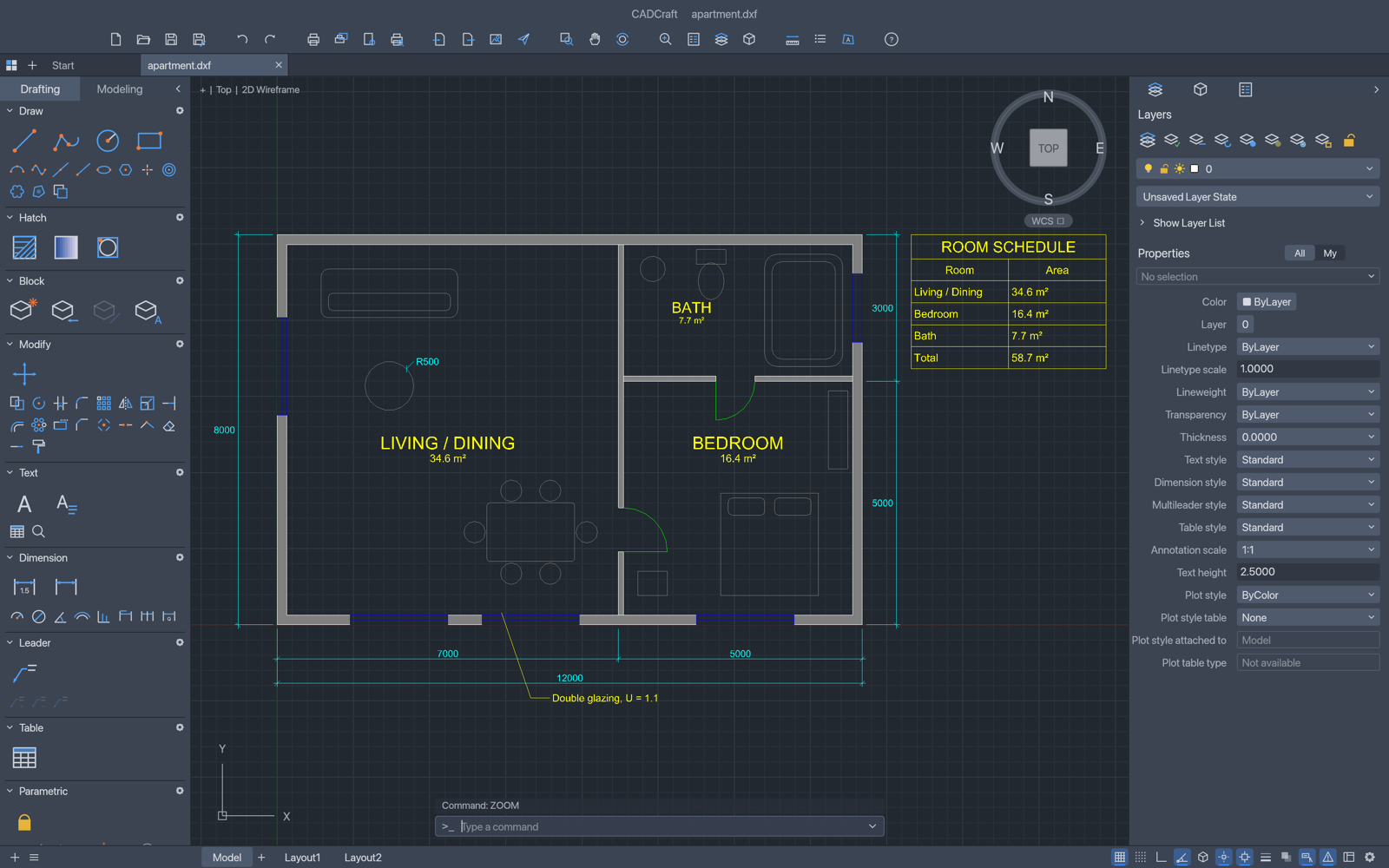
01 / THE WORKSPACE
Familiar commands. Open formats. A workspace that stays out of the way.
Lines, circles, polylines and arcs. Use familiar commands, object snaps and coordinate input to draw with intention.
Work with layers, dimensions, blocks and hatching — the building blocks of a clear technical drawing.
Open DXF or DWG drawings and download your work. The CAD engine runs in your browser; our editor does not upload your drawings.
02 / FIRST FIVE MINUTES
Choose a blank drawing or explore the built-in sample. A current desktop browser and a mouse or trackpad work best.
Click into the command line. Type each command below, then press Enter. Press Escape to finish or cancel a command.
Use File → Save / Save As to download your drawing. Export options are available in the app. Save before refreshing or closing the tab.
TRY A RECTANGLE AND A CIRCLE
01 RECTANG 0,0 100,60
02 CIRCLE 50,30 10
03 ZOOM E03 / WORK YOUR WAY
Prefer a native app? Get the official CADCraft release for Windows, macOS or Linux. Downloads are provided by the original project.
Official downloads ↗GOOD TO KNOW
Yes. CADCraft is open-source software under MIT or Apache-2.0. This independent hosted editor has no subscription, sign-in or payment requirement.
The official project supports DXF and DWG drawing workflows. Compatibility varies by file version and content. Keep the original file and check important drawings after import; CADCraft is still in early development.
Files you open are processed in the browser. Save and Export download files to your computer. This site does not provide cloud storage or guarantee recovery after a refresh. Your browser chooses where downloads are stored.
Use a current Chrome, Edge, Firefox or Safari with WebGPU or WebGL2 support. If the drawing area has rendering problems, try WebGL mode. The compatibility option uses the CPU drawing path but still needs WebGPU or WebGL2 for the interface.
No. cadcraft.io independently hosts the original CADCraft web build. CADCraft is developed by the ArtCraft team and contributors. We are not affiliated with or endorsed by ArtCraft or Autodesk.
CADCRAFT / FREE ONLINE CAD
Free online CAD. Nothing between you and the first line.